
Recollect v2 - Out Now!
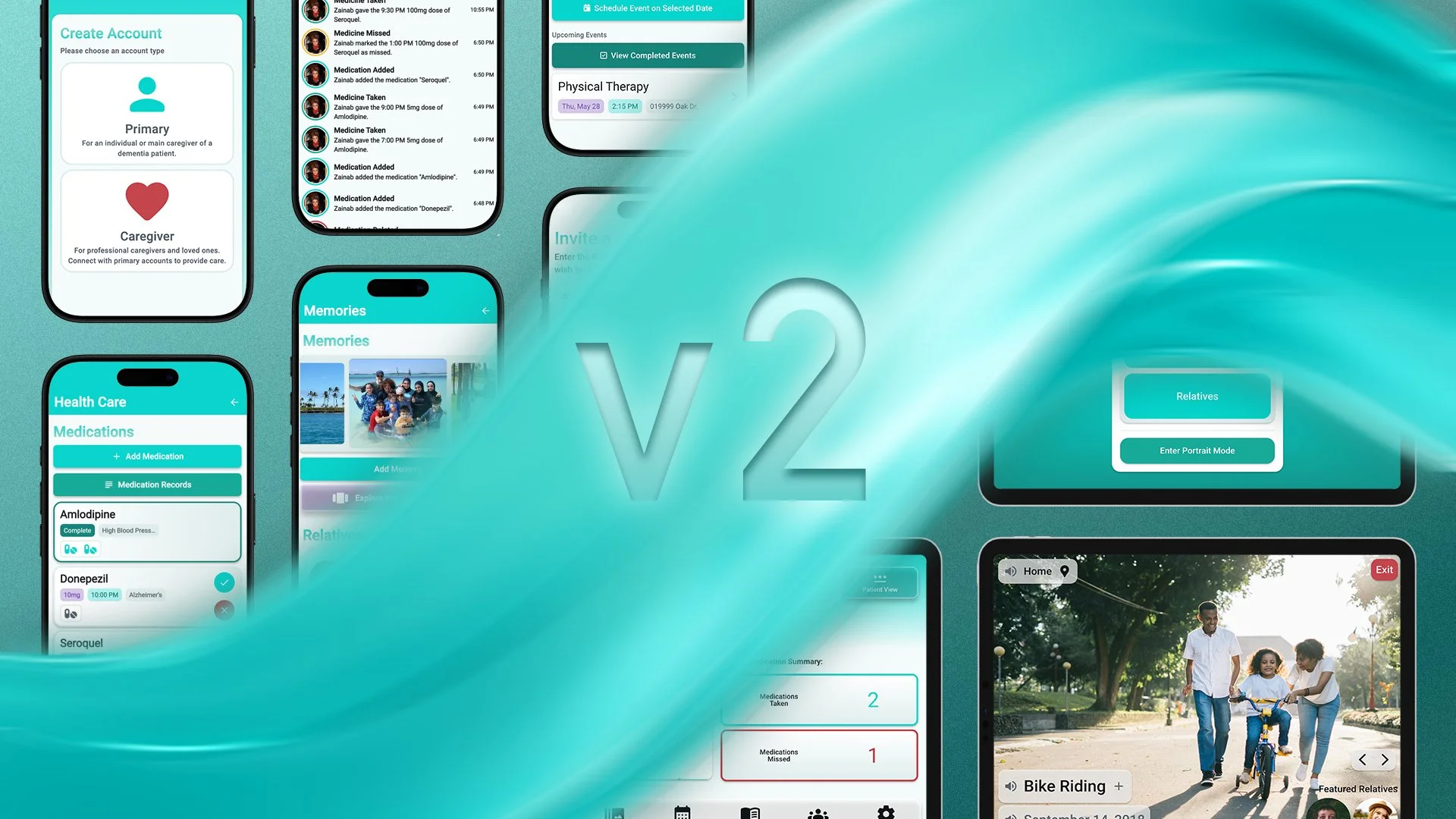
After months of development, Recollect v2 is out now!
This free update transforms Recollect with exciting new features, including new account types, more robust medication tracking, and automatic record keeping.
Recollect 2.0.0 Release Notes:
-
When creating an account, you are now prompted to create either a Primary Account or a Caregiver Account.
Primary Accounts are for individuals who are the primary caregivers of someone with dementia, as well as for those who wish to use Recollect for themselves.
Caregiver Accounts are intended for family members, loved ones, and professional caregivers who are involved in caring for a person with dementia. Primary Account users can invite Caregiver Account users to collaborate in caring for the individual through the app.
All Recollect accounts are assigned a unique Recollect ID (R-ID). Primary Account users and Caregiver Account users can share their R-IDs to connect with one another within the app.
Primary Account users and Caregiver Account users can remove their connection with one another at any time.
-
Recollect’s medication tracker has been fully redesigned.
When adding a medication, users are now prompted to add medicine doses, with the ability to specify both the time and amount for each dose.
Medication cards have been updated to support this functionality. Each card now includes a visual row of pills representing scheduled doses. As doses are marked as taken or missed, their status is reflected accordingly.
At the end of each day, all medications are saved as a record for future reference. These records include detailed information on each dose, including whether it was taken or missed, the time it was recorded, and the user who administered it.
-
The Recent Activity page provides a comprehensive, unmodifiable log of all actions performed across the app by any user.
All actions- including creating, editing, deleting, marking medications as taken or missed, updating dose information, changing statuses, and completing events- are recorded with the time of the action and the user who performed it.
The page includes filtering options that allow users to view specific types of actions by category (e.g., medications, events, memories).
Users can also access activity from previous dates, with history available for up to one month.
-
This update introduces significant user interface enhancements for a cleaner, more intuitive experience across the app.
The Home screen has been fully redesigned to provide a comprehensive summary of daily care. Navigation has been moved to a bottom dock, making space for a new “Next Up” care summary, a daily medication overview, a Mood Marker graph, and a recent activity preview.
The Settings page has also been improved and streamlined for easier navigation and use. Visual elements throughout the app have been refined with the addition of frosted glass effects.
Overall, this update includes substantial UI polish and usability improvements across the app.
-
The behavior of Mood Markers has been updated to streamline the user experience. Users can now record the individual’s daily mood only after 6:00 PM each day.
-
This update includes a range of technical improvements and bug fixes to enhance performance, reliability, and overall system stability.
Notification support is now available on Android devices, with improved reliability and consistency across all notifications. Notifications also now sync more effectively across devices for a more seamless experience.
Performance has been improved to deliver faster load times and smoother overall operation. The backend data structure has been redesigned to increase efficiency and flexibility.
Media handling has also been enhanced, including improved support for updating relative profile photos. Adding featured relatives to memories has also been optimized for greater speed and backend efficiency.
Additionally, this update includes general bug fixes and stability improvements throughout the app.